
Loading…

The 2026 Hawaii School Library Conference, centered on the theme "Think. Create. Share. Grow." invites school library professionals to dive deep into the four domains of the AASL Standards Framework for Learners. This theme is a call to action, emphasizing the pivotal role school librarians play in empowering students to become ethical, critical, and collaborative citizens in the digital age.

What to Expect

Through engaging keynotes, hands-on workshops, and collaborative sessions, we will explore practical strategies to:

  • 🧠 Think (Inquire & Analyze): Equip students with the critical thinking and research skills necessary to navigate complex information landscapes, evaluate sources, and become proficient users and creators of knowledge.

  • 💡 Create (Design & Construct): Foster innovation and digital literacy by integrating tools and practices that encourage learners to design solutions, construct new understandings, and express their ideas creatively.

  • 🤝 Share (Collaborate & Connect): Highlight the importance of the library as a hub for collaboration, ethical digital citizenship, and connection, promoting respectful dialogue and the responsible sharing of ideas and resources within the school and global community.

  • 🌱 Grow (Explore & Engage): Focus on the personal and professional development of both students and librarians, championing a mindset of continuous learning, adaptation, and reflective practice that fuels lifelong literacy and intellectual growth.


Join us in celebrating the vital work of Hawaii’s school librarians as we collectively cultivate the future-ready learner by embedding these essential domains into every facet of the school library program.

Mobile

This event is available on your phone

  1. Download the Sched App from the App Store or Google Play
  2. Search within the Sched App to find your event:
    "2026 Hawaii School Library Conference"
  3. Sign up or Log in to access your event
Sched App mobile screen download App
1. Download App
Sched App mobile screen find event
2. Find Event
Sched App mobile screen register
3. Register

Calendar Sync for Google Calendar, Outlook & Apple Calendar

Subscribe in your calendar program to see this event alongside your meetings.
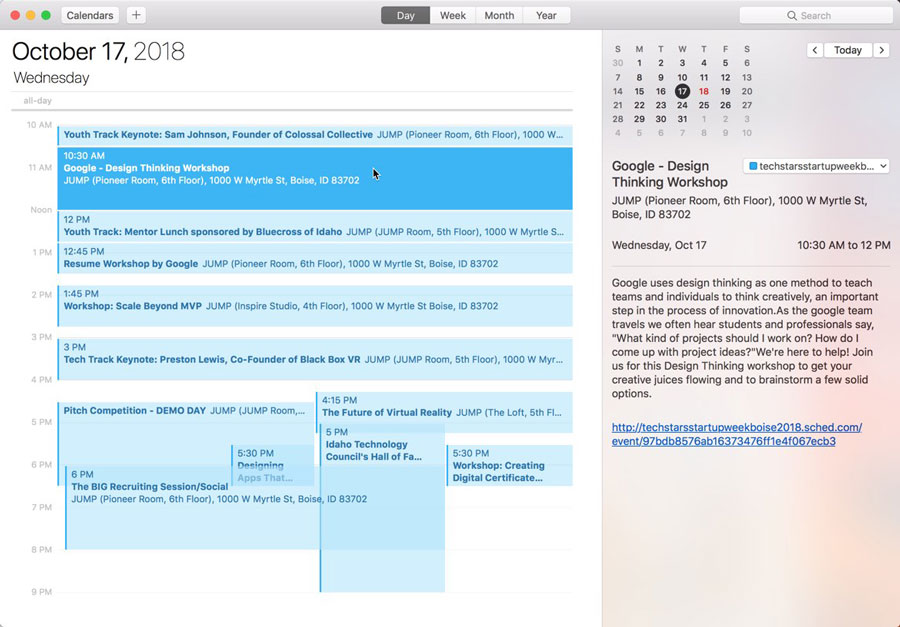
Apple Calendar
1. Click to open: Full Event Schedule
2. On next screen, set "Auto-refresh" to "Every hour" to ensure you get schedule changes.

Google Calendar
1. Click to open: Full Event Schedule
Note: Google will only update the feed once per day, which means you could miss out on last minute updates.

Microsoft Outlook
1. Click to open: Full Event Schedule
2. View instructions for Outlook.com or Outlook for Mac.

Export Calendar
This is a one-time export. You will not receive any updates to the schedule. If you expect the schedule to change, you should choose to one of the sync options above.
Full Event Schedule: https://808libcon26.sched.com/all.ics


Share Modal

Share this link via

Or copy link